What is a typing speed test?
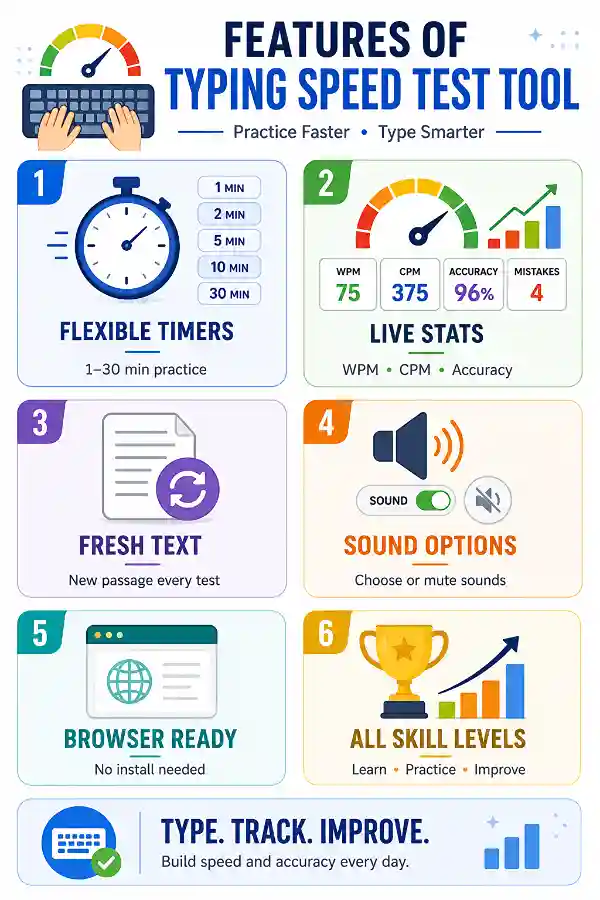
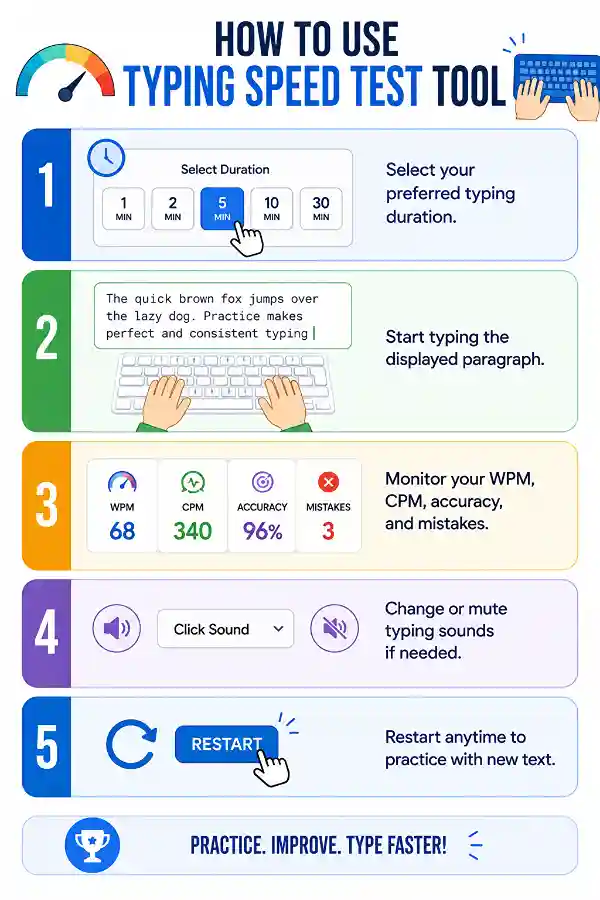
A typing speed test measures how quickly and accurately you type on a keyboard. It calculates metrics such as WPM, CPM, typing accuracy, and mistakes while you type. These results help you evaluate your current skill level and track improvement.
What does WPM mean?
Words Per Minute (WPM) indicates how many words you type in one minute. It is one of the most widely used measurements for typing speed. Higher WPM combined with good accuracy usually reflects stronger typing skills.
What is CPM?
Characters Per Minute (CPM) counts every character you type, including letters, numbers, spaces, and punctuation. It provides a detailed view of your typing activity and complements your WPM score.
Why is typing accuracy important?
Typing quickly with many mistakes often reduces productivity because you spend more time correcting errors. Improving accuracy first usually leads to faster and more reliable typing over time.
Which typing duration should I choose?
Shorter tests are useful for quick practice, while longer tests provide a better understanding of consistency and endurance. Choose the duration that best matches your learning goals and available time.
Does the text change after restarting?
Yes. Restarting the typing test displays a new paragraph for practice. This helps you improve genuine typing skills instead of memorizing the same text.
Why are my WPM and accuracy changing during practice?
Typing performance naturally varies depending on concentration, familiarity with the text, and typing rhythm. Regular practice helps improve consistency over time.
How often should I practice typing?
Practicing for 15–30 minutes several times a week can steadily improve your typing speed, accuracy, and keyboard confidence. Consistency matters more than occasional long sessions.
Can this help me prepare for typing exams?
Yes. Regular typing practice helps improve speed, accuracy, and familiarity with continuous typing, making it useful for many typing assessments.
Why do I make repeated mistakes?
Repeated errors often occur because of incorrect finger placement, rushing, or unfamiliar key combinations. Slowing down slightly and focusing on accuracy can help correct these habits.
Does typing posture matter?
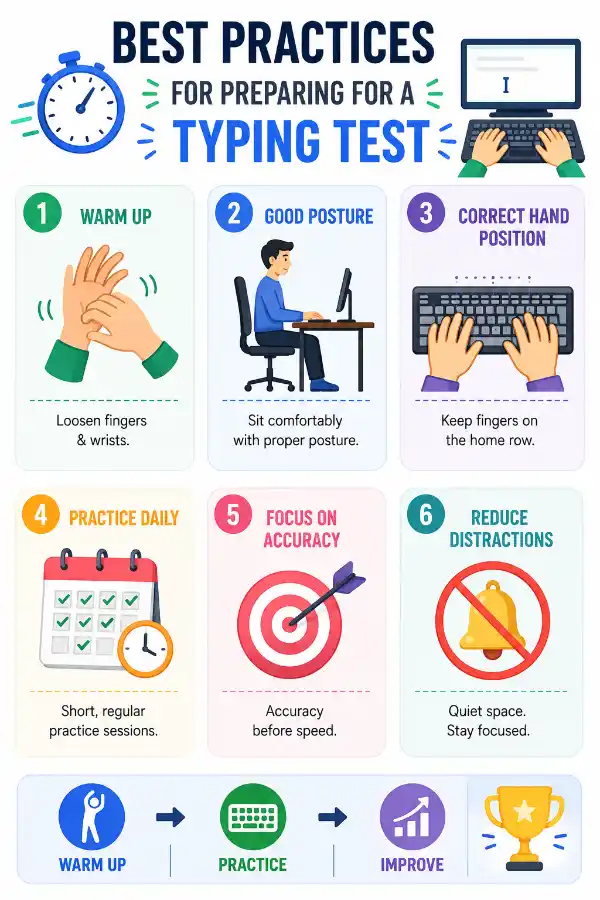
Yes. Sitting comfortably with relaxed shoulders and keeping your wrists in a neutral position can improve comfort during longer typing sessions and reduce fatigue.
Can I improve my typing without looking at the keyboard?
Yes. Gradually learning touch typing helps improve typing speed, accuracy, and confidence while reducing dependence on looking at the keys.
Is accuracy more important than speed?
For most users, yes. Accurate typing reduces correction time and naturally leads to improved speed as your skills develop.
What should I do if my typing speed stops improving?
Try practicing different durations, focus on accuracy, and review the mistakes you make most often.
Why do different typing tests produce different WPM scores?
Typing passages, timer lengths, and error calculations can vary between typing tests. Comparing your progress using the same tool provides more consistent results.
Are shorter typing tests easier?
Short tests often feel easier because they measure quick typing speed. Longer tests provide a better picture of consistency and sustained performance.
Why do I type slower with punctuation?
Punctuation requires additional finger movement and attention, especially for beginners. Regular practice with varied text gradually improves speed and confidence.
How can I reduce typing mistakes?
Focus on accuracy before speed, maintain proper finger placement, and practice consistently. Reviewing your mistakes helps identify patterns that need improvement.
Is this tool useful for experienced typists?
Yes. Experienced users can monitor consistency, maintain accuracy, and continue improving their typing efficiency with regular practice.
What is the best way to improve typing skills?
Practice consistently, prioritize accuracy, maintain good posture, use different typing durations, and monitor your WPM and mistakes after every session. Steady improvement comes from regular, focused practice.
I'm not sure how long I should practice each day. Any suggestions?
If you're a beginner, start with 5 to 10 minutes of focused practice. As your typing skills improve, you can gradually increase the duration based on your comfort and goals.
How can I measure my clicking speed accurately?
A
CPS Test calculates how many mouse clicks you can make within a selected time period. Using the tool gives you a measurable clicks-per-second score that helps compare different clicking methods and improve speed through practice. It is commonly used by gamers and users testing mouse performance.
How can I check if my mouse drag function is working correctly?
A mouse drag issue can occur when the button releases unexpectedly or fails to hold during movement. Using the
Drag Test helps verify whether your mouse can maintain a click while dragging objects smoothly. It is useful for checking mouse performance in daily tasks, design work, and gaming.