What does the Mouse Accuracy Test measure?
The Mouse Accuracy Test measures how precisely you can click on targets during a timed challenge. It records your hits, misses, click accuracy, target efficiency, and overall score. These statistics help evaluate your aiming consistency rather than just clicking speed.
Which difficulty level should I choose?
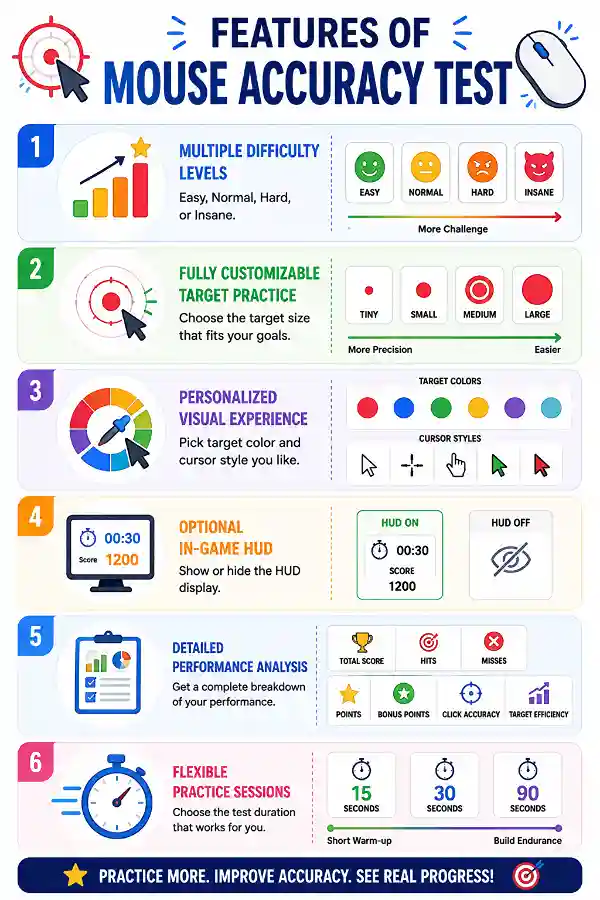
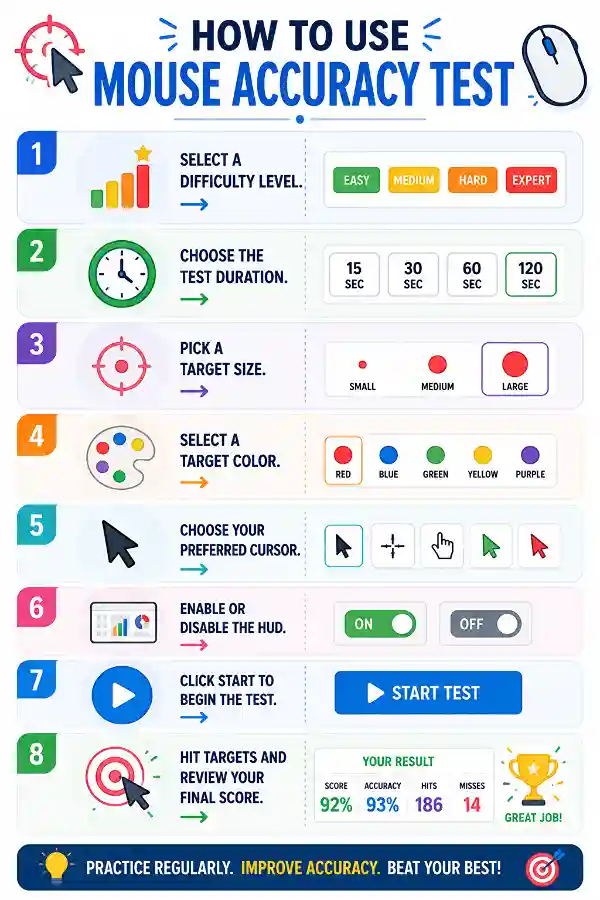
Beginners can start with Easy or Normal to become familiar with the target movement. Hard and Insane are better suited for users who want faster-paced accuracy challenges. As your precision improves, you can gradually increase the difficulty.
How does the difficulty level affect the game?
Higher difficulty levels generally require quicker reactions and more accurate mouse control. Targets become more challenging to hit, increasing the importance of precision. This allows users to test their skills under different levels of pressure.
Does target size affect my score?
Target size does not change the scoring rules, but it influences the difficulty of the challenge. Tiny targets require greater precision, while larger targets are easier to hit. Practicing with different sizes helps improve overall mouse control.
Which target size is best for beginners?
Large or Medium targets are recommended for users who are just starting. They provide a comfortable way to develop aiming accuracy before progressing to smaller targets. As confidence grows, you can switch to Small or Tiny targets for a greater challenge.
Why should I change the target color?
Changing the target color allows you to choose one that is easiest for you to see against the background. Better visibility can improve focus during fast-paced sessions. It also lets users personalize the testing experience.
What is Click Accuracy?
Click Accuracy shows the percentage of successful hits compared to your total clicks. A higher percentage means you clicked on targets more consistently instead of missing them. It reflects how accurately you control your mouse.
What is Target Efficiency?
Target Efficiency compares the number of targets successfully hit with the total number of targets that appeared. It measures how effectively you reacted to available targets during the session. Higher efficiency indicates quicker recognition and better timing.
Why does my Total Score include Bonus Points?
Bonus Points rewards efficient and accurate performance during the game. They are added to your regular points to calculate the final score. This encourages users to focus on precision rather than clicking randomly.
What happens if I disable the HUD?
When the HUD is disabled, the timer and live score are hidden during gameplay. This creates a cleaner interface with fewer distractions while you focus on hitting targets. Your complete statistics are still displayed after the test ends.
Can I change the cursor before starting the test?
Yes. The tool lets you select your preferred cursor before beginning the game. Choosing a cursor that feels comfortable may improve visibility and overall control during the accuracy test.
Which test duration should I choose?
A 15-second session is suitable for quick practice, while 30 seconds provides a balanced challenge. The 90-second option is ideal for improving consistency and maintaining accuracy over a longer period.
Can I repeat the test with different settings?
Absolutely. You can modify the difficulty level, target size, color, cursor, or duration before each new session. Trying different combinations helps you compare your performance under various conditions.
Does clicking faster improve my score?
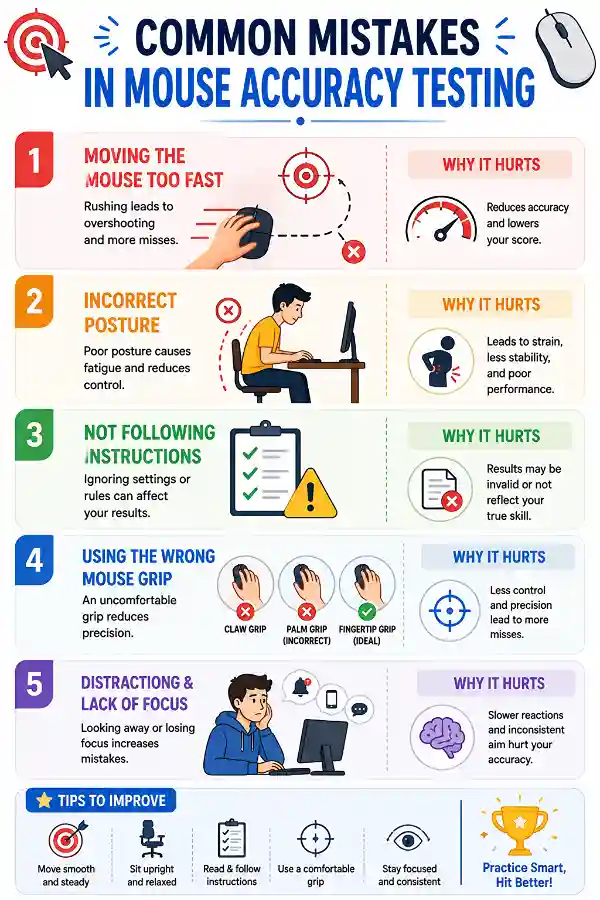
Not always. Clicking rapidly without aiming can increase your misses and reduce your Click Accuracy. Consistent and precise clicking usually results in a better overall score.
Why is my Click Accuracy low even though I clicked many times?
Click Accuracy depends on how many of your clicks successfully hit a target. If you click when no target is present or miss the target, your accuracy percentage decreases. Focusing on precision instead of speed often improves the result.
What is the difference between Hits and Clicks?
Hits count only successful clicks on targets, while Clicks include every mouse click you make during the game. Comparing these values helps you understand how many clicks were accurate and how many were missed.
Is this tool useful for gamers?
Yes. FPS, MOBA, RTS, and other PC gamers can use the test to practice mouse precision and reaction speed. Regular practice may help improve cursor control during gameplay.
Can I use this test to improve my aim over time?
Absolutely. Repeating the test regularly and comparing your score, Click Accuracy, and Target Efficiency lets you monitor improvement. Gradually increasing the difficulty also helps develop better precision.
Which setting creates the hardest challenge?
The most difficult combination is Insane difficulty with Tiny targets and a 90-second duration. This requires excellent mouse control, concentration, and quick reactions throughout the session.
Can I compare my performance using different settings?
Yes. You can repeat the test using different difficulty levels, target sizes, durations, and cursor styles. Comparing your final statistics helps you identify the settings where you perform best and those that need improvement.
Why did I miss targets even though I clicked quickly?
Fast clickng alone doesn't guarantee successful hits. Missing usually occurs when the cursor isn't positioned accurately over the target at the moment you click. Combining speed with precise aim produces better results.
Which score should I focus on the most?
Rather than looking only at the Total Score, consider your Click Accuracy, Target Efficiency, and Hits together. A balanced improvement across these statistics provides a more complete picture of your mouse precision and consistency than a high score alone
Can I use a Tally Counter for repeated tasks?
Yes, a digital
tally counter is useful whenever you need to increase a count repeatedly. The tool allows users to keep track of numbers quickly without using paper or external devices. It helps reduce counting mistakes during repetitive activities.
How can I know if my keyboard has a faulty key?
A faulty key may stop responding, register incorrectly, or behave inconsistently during typing. Using the
keyboard test allows you to press each key and check whether the input is detected properly. It helps identify specific problem keys instead of replacing the entire keyboard unnecessarily.