close-button
  • Keyboard Tools
  • Mouse Tools
  • Typing Tools
  • Test Tools
  • Keyboard test for macbook

    Quickly identify non-working keys on your macbook or apple keyboard.


    Esc
    F1
    F2
    F3
    F4
    F5
    F6
    F7
    F8
    F9
    F10
    F11
    F12
    ~

    `

    !

    1

    @

    2

    #

    3

    $

    4

    %

    5

    ^

    6

    &

    7

    *

    8

    (

    9

    )

    0

    _

    -

    +

    =

    Tab

    Q

    W

    E

    R

    T

    Y

    U

    I

    O

    P

    {

    [

    }

    ]

    |

    \

    Capslock

    A

    S

    D

    F

    G

    H

    J

    K

    L

    :

    ;

    "
    '
    return

    Shift

    Z

    X

    C

    V

    B

    N

    M

    <

    ,

    >

    .

    ?

    /

    Shift

    Fn

    control

    option
    command
    Spacebar
    command
    option

    please open this in minimum 900px screen .


    Instant Visual & Sound Feedback

    Instant Visual & Sound Feedback

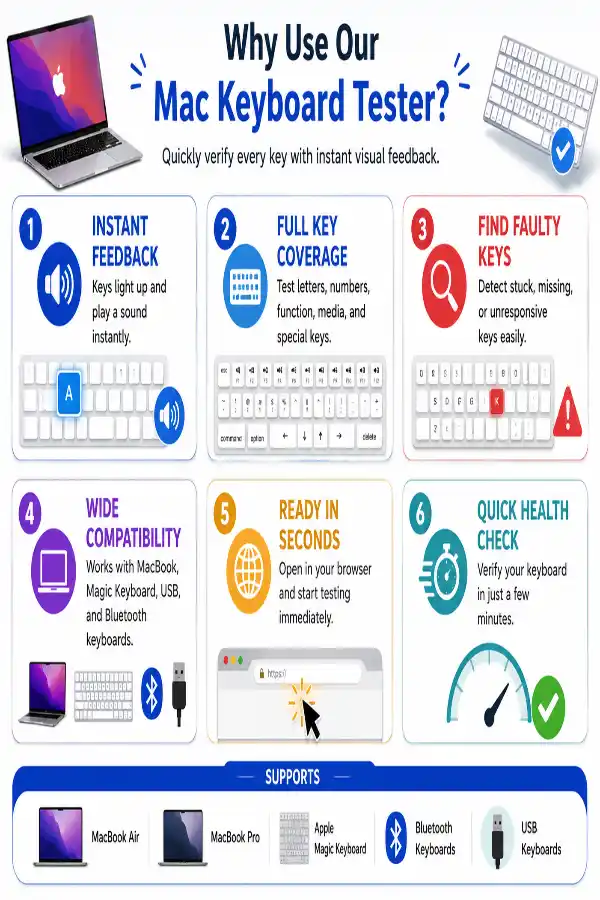
    Every time you press a key, the corresponding key on the virtual Mac keyboard lights up and plays a sound. This immediate feedback makes it easier to troubleshoot hardware issues before replacing or repairing your keyboard.

    Test Every Standard Mac Keyboard Key

    Test Every Standard Mac Keyboard Key

    Test letter keys, number keys, function keys, media controls, arrow keys, Command (⌘), Option (⌥), Control, Shift, Caps Lock, Return, Delete, Spacebar, and other supported Mac keyboard keys in one place.

    Detect Unresponsive or Stuck Keys

    Detect Unresponsive or Stuck Keys

    Identify keys that fail to respond, register multiple presses, or remain stuck during testing. This makes it easier to diagnose keyboard issues before considering repairs or replacements.

    Compatible with Built-in & External Mac Keyboards

    Compatible with Built-in & External Mac Keyboards

    Use the tester with a MacBook Air, MacBook Pro, Apple Magic Keyboard, and supported USB or Bluetooth keyboards connected to your Mac for quick keyboard verification.

    No Installation or Sign-Up Needed

    No Installation or Sign-Up Needed

    Launch the tool directly from your browser without downloading software, creating an account, or changing any system settings. Start testing your keyboard in seconds.

    Fast Browser-Based Keyboard Check

    Fast Browser-Based Keyboard Check

    Run a complete keyboard test in just a few minutes by pressing each key once. It's a convenient way to verify keyboard functionality after cleaning, repairs, spills, software updates, or long-term use.

    idea

    Steps to Use a Keyboard Tester for Mac

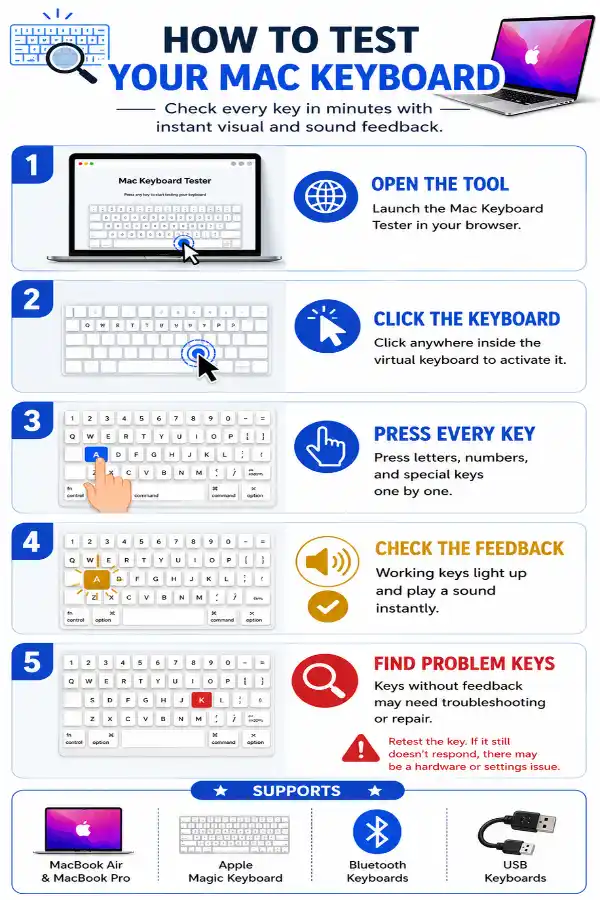
    1 . Click inside the keyboard tester to activate keyboard input.
    2 . Press each key on your Mac keyboard one by one.
    3 . Check the visual highlight and sound to confirm each key is detected.
    4 . Test all keys, including special keys.
    5 . Retest if you find any unresponsive key.

    Other useful information

    Explore our visual guides and infographics

    ×
    Infographic Preview

    Frequently Asked Questions


    How does the Mac keyboard tester work?

    The tool detects supported keyboard input directly in your browser. When you press a key, the matching key on the virtual keyboard lights up and plays a sound, helping you confirm that the key press has been registered successfully.

    Which Mac keyboards can I test?

    You can test most Apple keyboards, including MacBook Air, MacBook Pro, Apple Magic Keyboard, wired USB keyboards, and compatible Bluetooth keyboards connected to your Mac.

    Why doesn't one of my keys respond during testing?

    If a key doesn't highlight or produce a sound, try pressing it again. If it consistently fails while other keys work normally, the key may be faulty, physically stuck, disabled by system settings, or affected by a browser shortcut.

    Can I test modifier keys like Command, Option, Shift, and Control?

    Yes. The tool supports testing common modifier keys such as Command (⌘), Option (⌥), Shift, Control, Caps Lock, and other standard keys recognized by your browser.

    Why don't some function keys work in the browser?

    Certain function keys may not be detected because your browser or macOS reserves them for system actions. For example, F5 is commonly used by browsers to refresh the page, while other function keys may control screen brightness, media playback, Mission Control, or system shortcuts. Their behavior depends on your Mac model, macOS settings, browser, and whether the Fn key is required.

    Can I test multiple keys at the same time?

    Yes. The tool can detect many simultaneous key presses supported by your keyboard and browser, making it useful for checking modifier key combinations like Shift + A or Command + C. H0owever, the exact number of simultaneous keys that register depends on your keyboard's hardware capabilities.

    Does this tool detect hardware problems?

    The tool helps identify keys that fail to register input, but it cannot determine the exact cause of the problem. If a key repeatedly fails, the issue could be due to hardware damage, debris under the key, keyboard settings, driver issues (for external keyboards), or browser limitations.

    Why does the Caps Lock key respond differently?

    On many Mac keyboards, Caps Lock activates only after a brief press to prevent accidental activation. If it doesn't register immediately, hold it slightly longer before testing again.

    Can Touch ID be tested with this tool?

    No. Touch ID is a biometric sensor rather than a standard keyboard key. Web browsers cannot access or verify Touch ID functionality through keyboard events, so it cannot be tested using an online keyboard tester.

    Why is the Fn (Function) key not detected sometimes?

    On many Macs, the Fn key is tied to system-level features such as emoji access, dictation, or function key behavior. Depending on your browser and macOS settings, it may not generate a standard keyboard event that web applications can detect.

    Does a higher Kohi Click Test score guarantee better PvP performance?

    A higher CPS score can help with certain Minecraft mechanics, but it is not the only factor that determines gameplay success. Skills like aiming, movement, timing, and strategy are equally important. The Kohi Click Test tool helps measure clicking speed, while overall performance depends on how effectively those clicks are used.

    Can a custom typing test help improve typing accuracy?

    Yes, practicing with familiar or custom typing text helps users improve accuracy with the words and phrases they use most often. The tool allows targeted practice instead of general typing exercises. It is useful for building confidence in real-world typing situations.


    Over 150k Users Rely on Our Hardware Tester Tools Monthly

    Join a growing community of creators who trust hwtests.com for testing keyboard,mouse,typing and many more

    rating-img

    Rate this tool

    Your feedback helps us improve our services

    4.08/5   24 votes

    About The Author

    Lakshmi Badige

    Lakshmi Badige is a skilled content writer with expertise in creating engaging content for SaaS companies. From blog posts and case studies to website copy, Lakshmi focuses on delivering content that attracts customers, builds trust, and drives results. With experience in SEO and content strategy, ensures every piece of content is optimized for both readers and search engines.

    Contributors